Never Let Your WordPress Site Go Down Without You Knowing
Continuous 15-minute external uptime checks, automated SSL expiry alerts, and WHOIS domain tracking. View real-time status inside your WP Admin with zero server bloat and zero false alarms.
The Self-Monitoring Paradox: Why Internal Plugins Fail
If your monitoring plugin runs on your own WordPress server, who monitors the monitor when the server crashes?
Internal WP-Cron & Self-Hosted Plugins
- Dies with your server: When PHP exhausts memory or Apache deadlocks, internal cron stops running. Zero alerts are sent.
- Requires visitor traffic: WP-Cron tasks only trigger on page visits. Quiet night-time outages go undetected for hours.
- Consumes server RAM & CPU: Constant background checks bloat database tables and slow down visitor page speed.
- Misses SSL & DNS failures: Cannot simulate real edge-network SSL handshakes from multiple continents.
WakeMetric External Cloud Architecture
- 100% Independent Cloud Probes: Monitored from 450+ global locations completely decoupled from your hosting server.
- Zero Server Resource Usage: The lightweight connector plugin adds 0.00ms to your frontend load times.
- Multi-Region Consensus: Verifies every timeout across 3 continents before alerting to eradicate false alarms.
- Proactive SSL & WHOIS Tracking: Get warnings weeks before certificate expiration or domain expiration dates arrive.
Everything You Need to Keep WordPress Online
Built specifically for WordPress developers, agency owners, and WooCommerce merchants.
Continuous 15-Minute Uptime Probes
Our global edge nodes ping your homepage every 15 minutes. The moment your site returns a 500, 502, 503, or connection timeout, you are instantly alerted.
30, 14 & 7-Day SSL Expiry Warnings
Never lose customers to browser “Your connection is not private” warnings. Receive advance notifications before Let's Encrypt or custom certificates lapse.
WHOIS Domain Expiration Guard
Avoid catastrophic domain expiration and registrar takeover. WakeMetric monitors your domain renewal dates and alerts you well ahead of expiration.
Native WP Admin Dashboard Widget
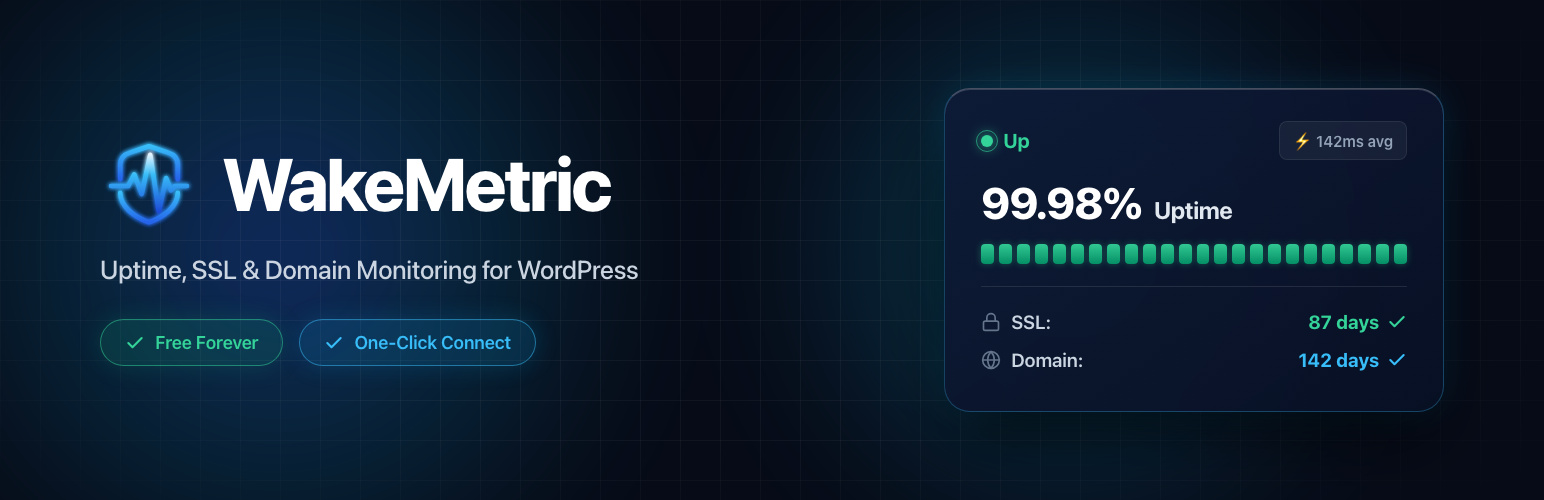
View your 24-hour uptime percentage, average response time, SSL expiration countdown, and domain status right inside your WordPress admin dashboard.
WooCommerce Revenue Shield
When a store goes down, revenue stops. WakeMetric notifies store managers within seconds so payment gateway disruptions and server crashes are resolved fast.
Multi-Channel Incident Dispatch
Route alerts directly to Slack, Discord, Telegram, SMS, or custom webhooks. Invite team members without per-seat charges or licensing penalties.
WakeMetric vs Jetpack Monitor vs Self-Hosted Plugins
Why thousands of site owners are choosing dedicated external monitoring over heavy plugin suites.
| Feature | WakeMetric (Free) | Jetpack Monitor | WP-Cron Plugins |
|---|---|---|---|
| Probing Architecture | External 450+ Edge Nodes | Automattic Cloud Nodes | Same Server (PHP Internal) |
| Alerts During Server Crash | Yes (100% Independent) | Yes | No (Freezes with site) |
| SSL Expiry Alerts (30, 14, 7 Days) | Included Free | Not Included | Not Included |
| WHOIS Domain Expiry Tracking | Included Free | Not Included | Not Included |
| Site Performance Impact | Zero (0.00ms Overhead) | Heavy (Jetpack suite bloat) | High (DB writes & PHP loops) |
| WordPress Admin Widget | Native Dashboard Widget | Separate Jetpack UI | Basic Table |
| Pricing | 100% Free Forever | Requires WordPress.com account | Free / Freemium |
Get Started in 3 Simple Steps
No complex API configurations, no credit card, and zero technical setup required.
Install the Plugin
In your WordPress admin dashboard, navigate to Plugins → Add New, search for “WakeMetric”, and click Install & Activate.
1-Click Auto-Connect
Click the “Connect with WakeMetric” button. The plugin automatically generates a secure connection token and provisions your monitor in seconds.
Monitor 24/7
Global edge nodes immediately begin probing your site. View real-time status and latency metrics directly in your WordPress Admin widget.
Essential Guides for WordPress Uptime & Performance
Read our engineering deep dives on WordPress monitoring architectures and error prevention.
The Best WordPress Uptime Monitoring Plugins in 2026
External monitoring benchmarked against internal cron plugins and Jetpack.
Why You Should Never Trust WordPress Cron for Uptime
The technical reasons WP-Cron fails when your server experiences downtime.
WooCommerce Uptime Monitoring: Protect Store Revenue
Know when your checkout or cart goes down before your customers complain.
How Agencies Monitor All Client WordPress Sites Free
Centralized dashboard and client maintenance reporting workflows.
WordPress Plugin FAQ
Why should I use an external monitoring plugin instead of a WP-Cron plugin?
WP-Cron is WordPress’s internal task scheduler, which requires a visitor to trigger and runs on the exact same server as your website. If your MySQL database crashes, PHP runs out of memory, or Nginx throws a 502/503 error, internal cron jobs freeze alongside your site. They cannot send downtime alerts because the PHP process is dead. WakeMetric operates on independent global cloud infrastructure across 450+ edge nodes, reliably alerting you in seconds even during catastrophic server blackouts.
Does the WakeMetric plugin slow down my WordPress site?
No. The WakeMetric connector is an ultra-lightweight plugin (under 50KB) that performs zero heavy database queries or background CPU crunching. All monitoring checks, SSL evaluations, and domain queries are conducted externally by WakeMetric’s cloud servers. The plugin simply displays your live status widget inside WP Admin using cached API requests.
How does WakeMetric’s SSL and Domain monitoring work?
WakeMetric probes your site from multiple external locations daily to check your SSL certificate validity and expiration date. It sends proactive alerts via email, Slack, or Discord at 30 days, 14 days, and 7 days prior to expiration. It also queries WHOIS registry data to warn you before your domain registration lapses.
Is WakeMetric compatible with WooCommerce and WordPress Multisite?
Yes. WakeMetric fully supports WooCommerce stores and high-traffic membership sites, allowing you to monitor checkout endpoints and catch server errors before paying customers abandon their carts. It can also be activated across WordPress Multisite networks to track primary and custom-mapped domains.
How does WakeMetric compare to Jetpack Monitor?
Jetpack is a massive, multi-megabyte plugin suite that introduces substantial admin bloat and database overhead. WakeMetric is dedicated solely to high-performance uptime, SSL, and domain monitoring. WakeMetric gives you multi-stage consensus verification (to eliminate false alarms), SSL expiration countdowns, and WHOIS domain tracking—features not included in Jetpack Monitor.
Is the plugin truly 100% free?
Yes! The WakeMetric Community plan is completely free forever. It includes continuous 15-minute external uptime checks, automated SSL certificate monitoring, WHOIS domain expiry tracking, email alerts, and the native WordPress admin dashboard widget with zero credit card required.
Ready to Protect Your WordPress Website?
Install the official WakeMetric plugin on WordPress.org today. Free forever with zero credit card required.